728x90
반응형
UserRateThrottle(인증된 유저에 대한), AnonRateThrottle(익명 사용자에 대한), ScopedRateThrottle(해당 ID나 IP에 대한) 또는 커스텀하여 적용할 수 있습니다.
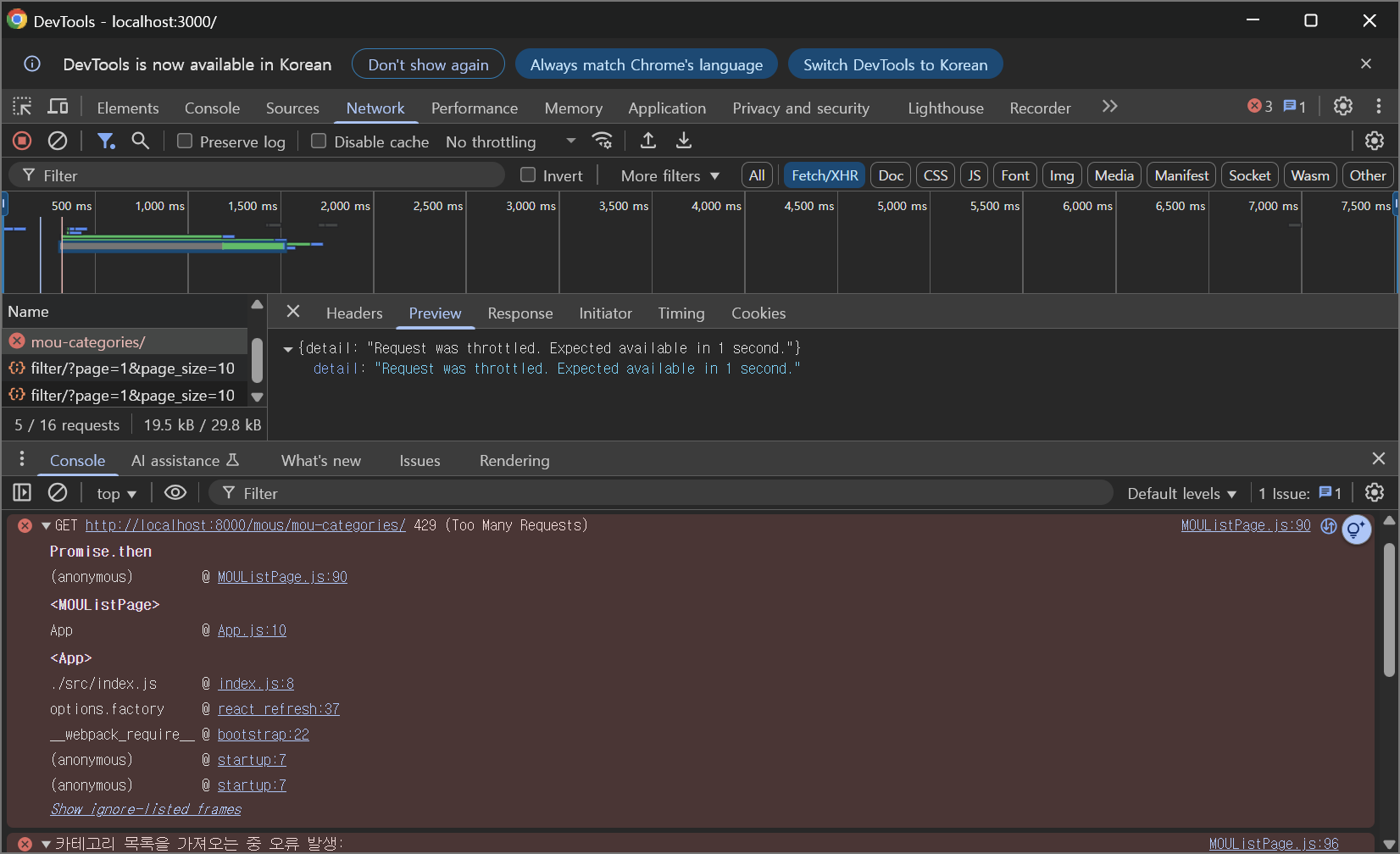
Throttling을 적용하고자 하는 앱에 다음과 같이 초당 1회(테스트)로 제한하도록 설정한 후에 카테고리 목록을 가져오는 뷰셋에 추가해주었습니다.
# throttling.py

from rest_framework.throttling import AnonRateThrottle, UserRateThrottle


class MOUThrottle(UserRateThrottle):
    rate = "1/s"


class MOUAnonThrottle(AnonRateThrottle):
    rate = "1/s"
from rest_framework import viewsets

from mou.throttling import MOUAnonThrottle, MOUThrottle

from .models import MOU, MOUCategory
from .serializers import MOUCategorySerializer


class MOUCategoryViewSet(viewsets.ReadOnlyModelViewSet):
    queryset = MOUCategory.objects.all().order_by("name")
    serializer_class = MOUCategorySerializer
    throttle_classes = [MOUThrottle, MOUAnonThrottle]
Throttling을 적용한 후의 응답은 다음과 같습니다.

'Category > Django' 카테고리의 다른 글
| [Django] 커스텀 유저 모델 적용 확인하기(feat: Docker 환경) (1) | 2025.08.13 |
|---|---|
| django-debug-toolbar 안 보이는 문제 해결 (0) | 2025.07.17 |
| N+1 문제 해결 (0) | 2025.07.17 |
| django-environ란? (0) | 2024.09.16 |
| WSGI(웹 서버 게이트웨이 인터페이스, Web Server Gateway Interface)란? (1) | 2024.09.15 |


